
Anti-Ransomware Solution
Protect your data by blocking unauthorized activityAnti-Ransomware
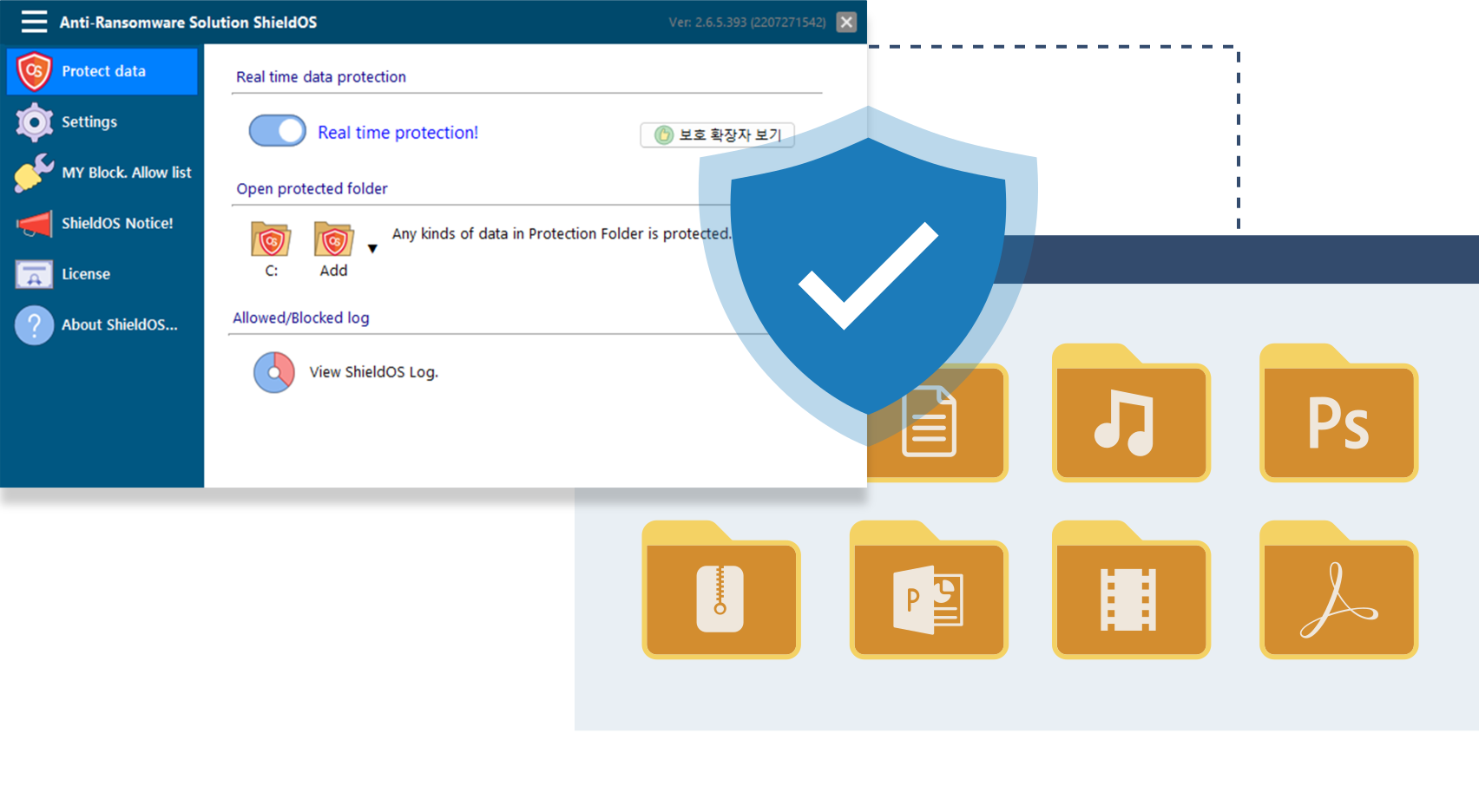
ShieldOS is a ransomware prevention solution that fundamentally blocks unauthorized and abnormal programs and unauthorized actions to prevent forgery and falsification of user's valuable data.
Ransomware protection
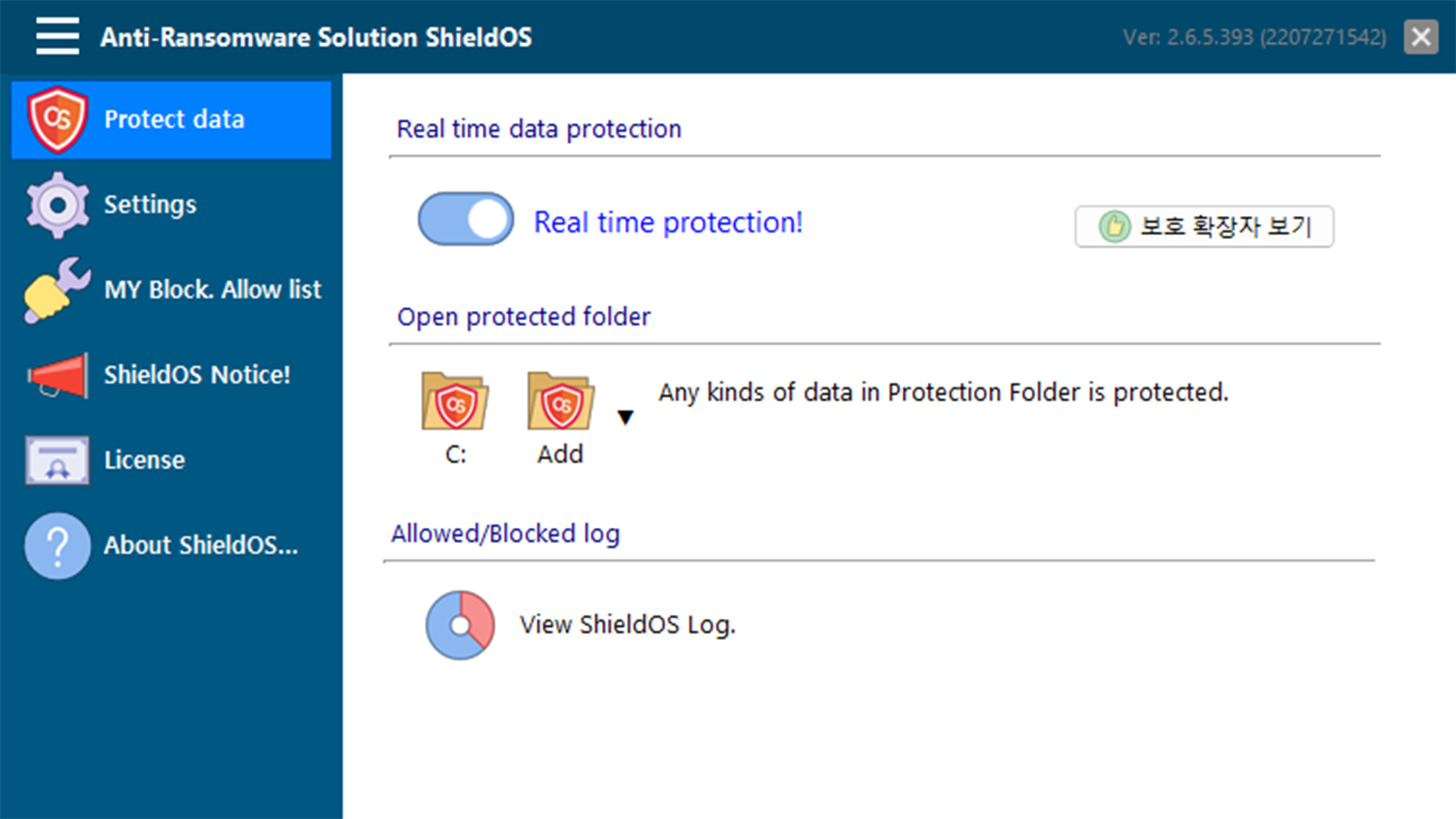
Real-time protection
Block policy
Protected folder
Overview
What is ransomware
Ransomware is a kind of malware that is installed illegally on a PC regardless of user's intention, and it is a hacking method that requires Bitcoin after accessing and encrypting major files on the PC. Ransomware infection is difficult to treat, and even if you pay a hacker, there is no guarantee that you will receive the decryption key. Therefore, prevention is more economical than recovery, and it is often the only alternative that can protect your PC.
ShieldOS is a ransomware expert prevention solution that prevents tampering of your valuable data from ransomware.

Data protection technology
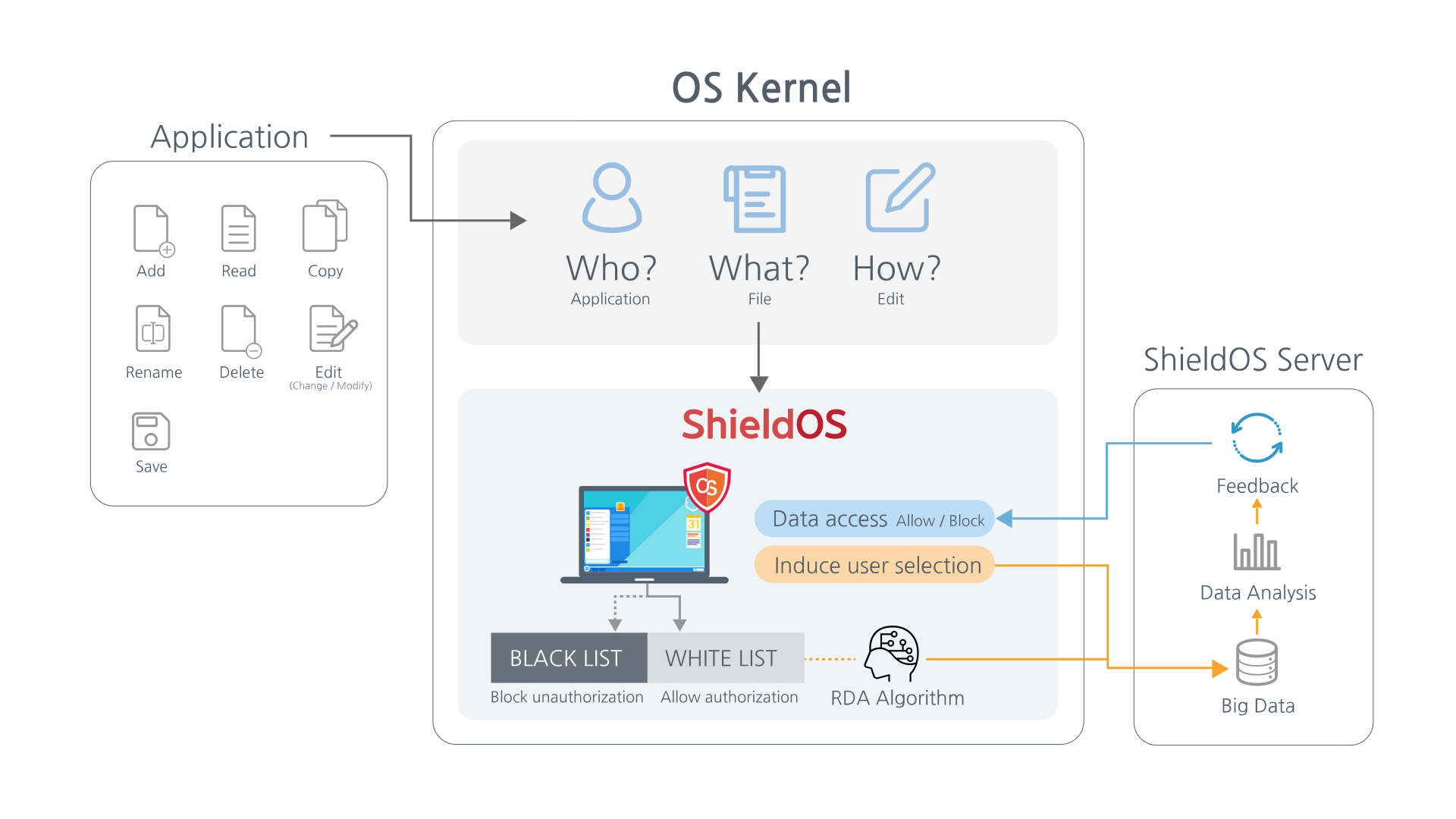
The engine core of ShieldOS runs in the kernel mode of the OS and controls all file I/O access to the local disk. It protects user data by blocking unauthorized and abnormal processes and unauthorized access in real time.
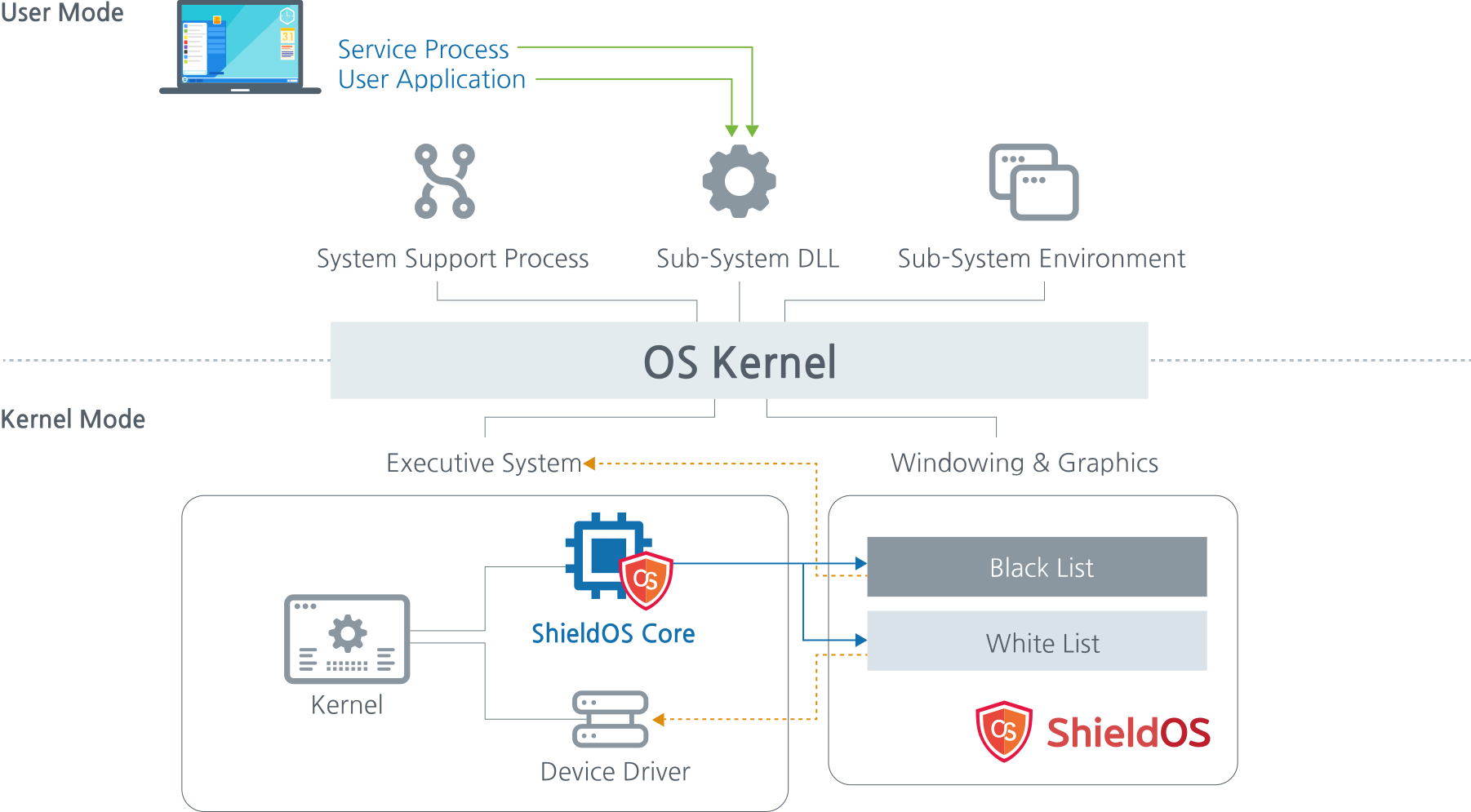 * Patent application : 10-2016-00818241 Ransomware blocking system and method based on whitelist and blacklist
Principles of operation
Existing working principle
- After reading the data file, use the method of encrypting and deleting the existing data
- Change the folder name or file name to a form that cannot be read in file explorer
- Reading data files and leaking them to c&c servers, etc.
How ShieldOS works
- Policy management of processes that can access each data file format
- Detects all requests for shieldos core data files in the OS kernel location
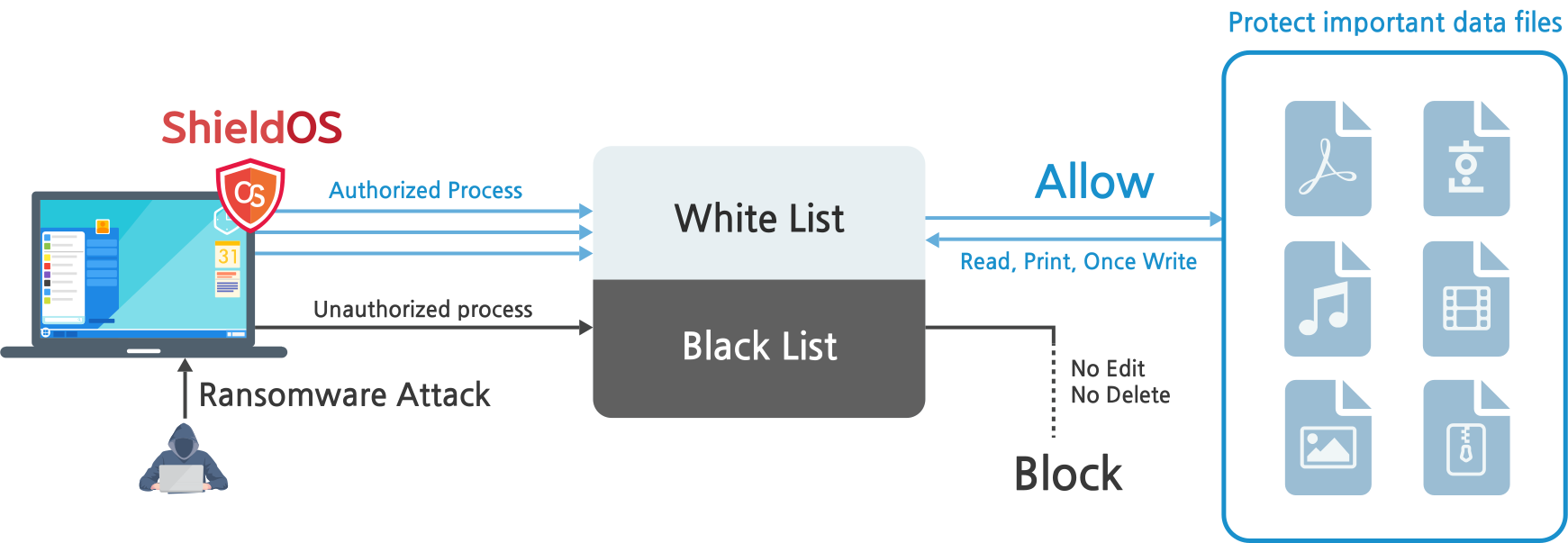
- Determine whether to allow or block by judging whether the target file is an authorized or unauthorized process
- Blocks leakage by malicious code by even blocking data file reading
How to block ransomware
Approved processes in the black & white list method allow access and block access suspected as ransomware. It also protects data files from being leaked to the outside from malicious code.
Demo video
Screenshots
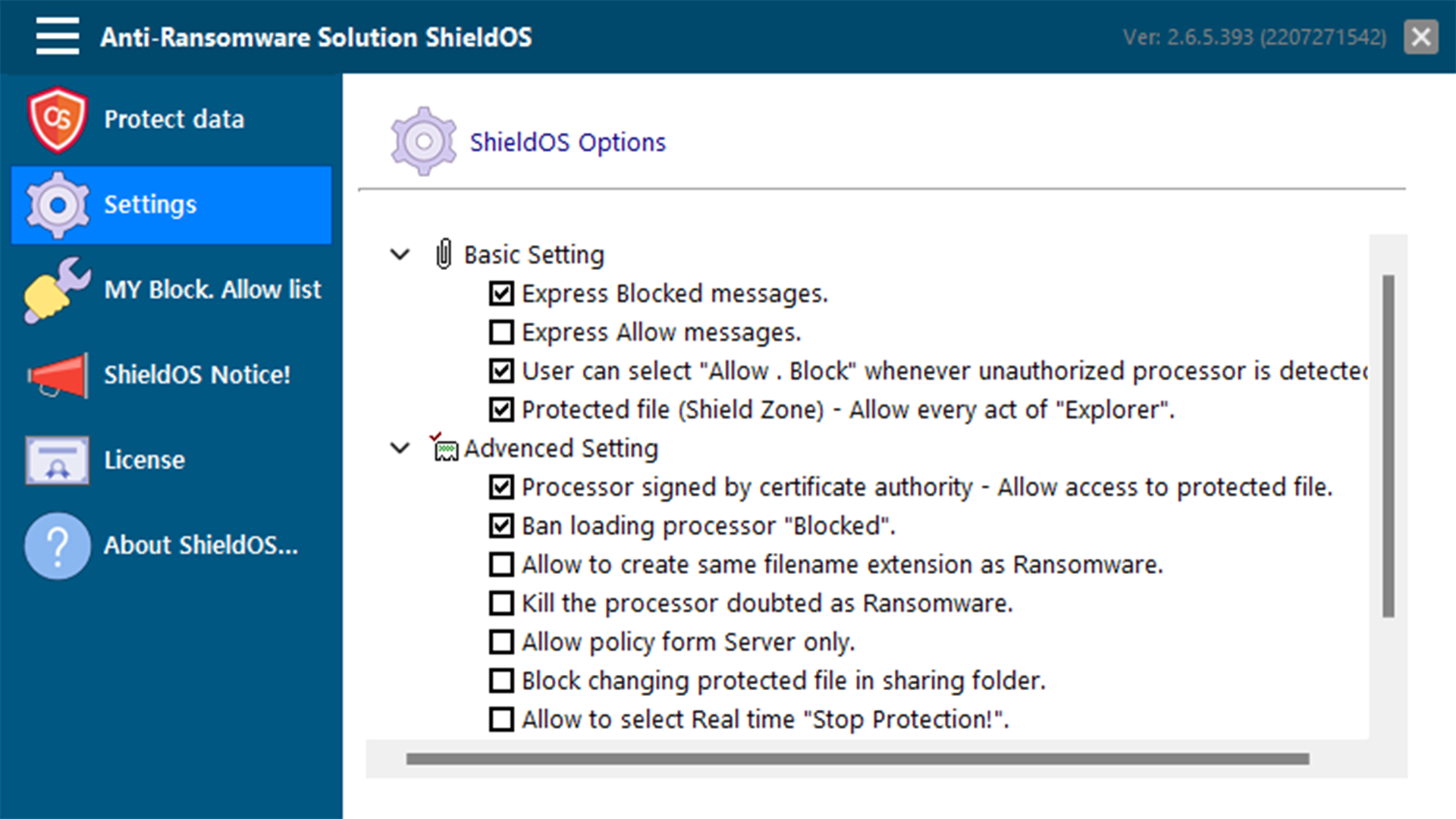
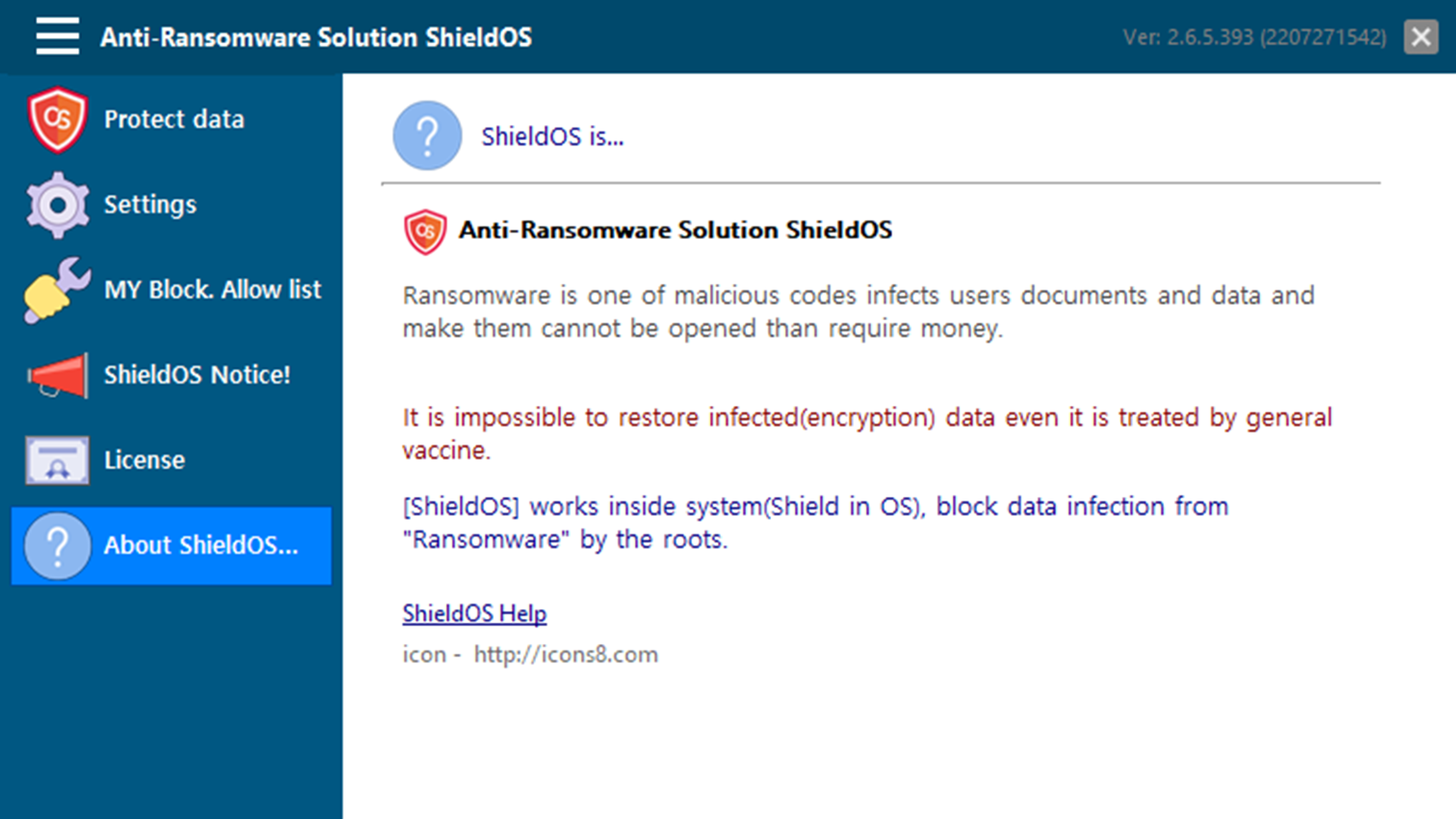
Main features
Ransomware protection
- Block known and new ransomware
- Kill ransomware suspicious process
- Forgery verification function
Real-time protection
- Real-time monitoring of all access requests to protected data files
Block unauthorized processes
- Block access to unauthorized processes such as modification, deletion, and encryption
- Block unauthorized process rename
- Blocking external export by malicious code
- Process contamination check function
Black & White list
- Block blacklist execution
- Allow whitelist execution
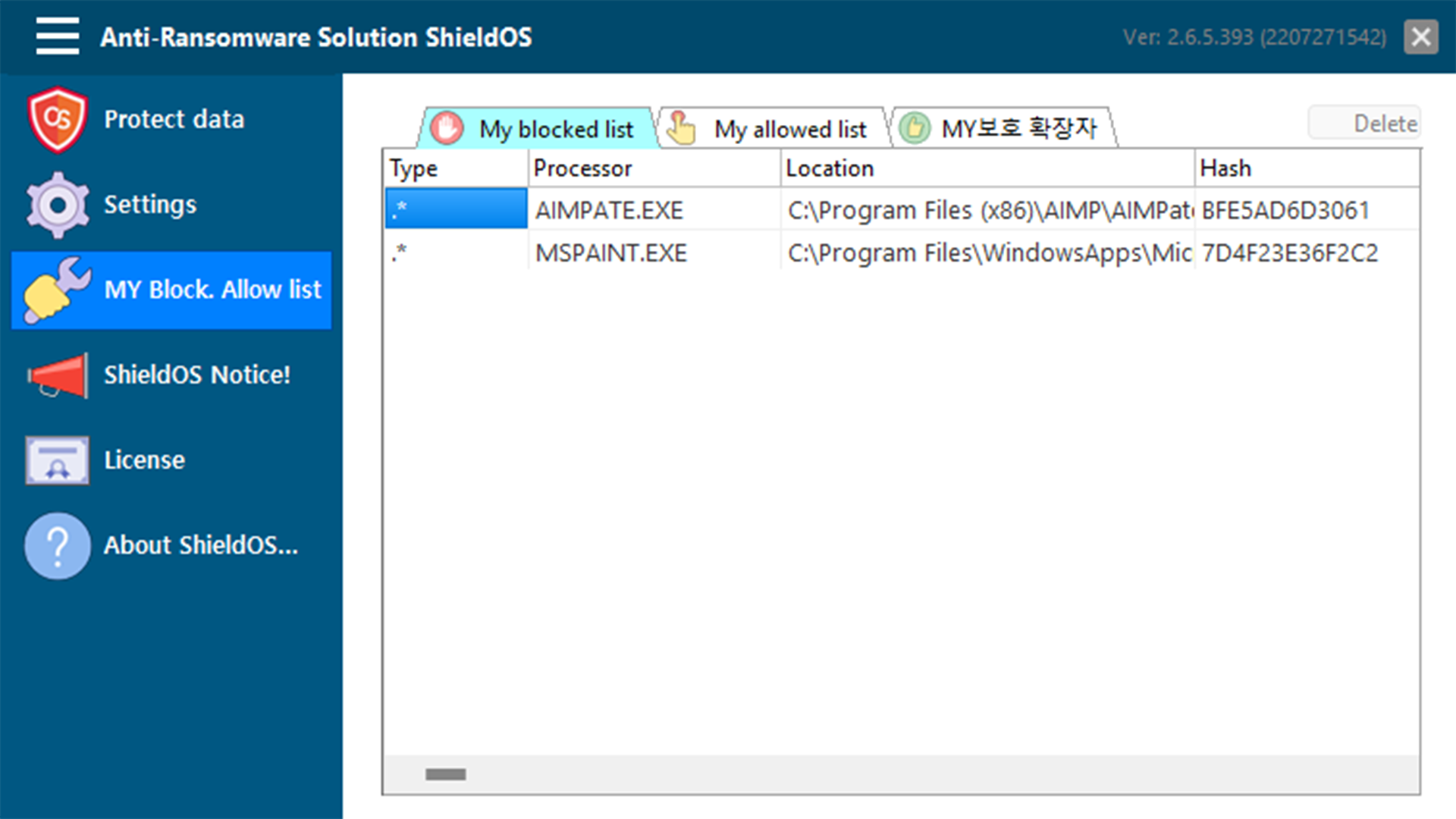
- Custom Black & White list Settings
Protected folder
- Provide protected folder 'Shield Zone'
- Blocking the source of process access in the protected folder
Support service
- Provides automatic updates
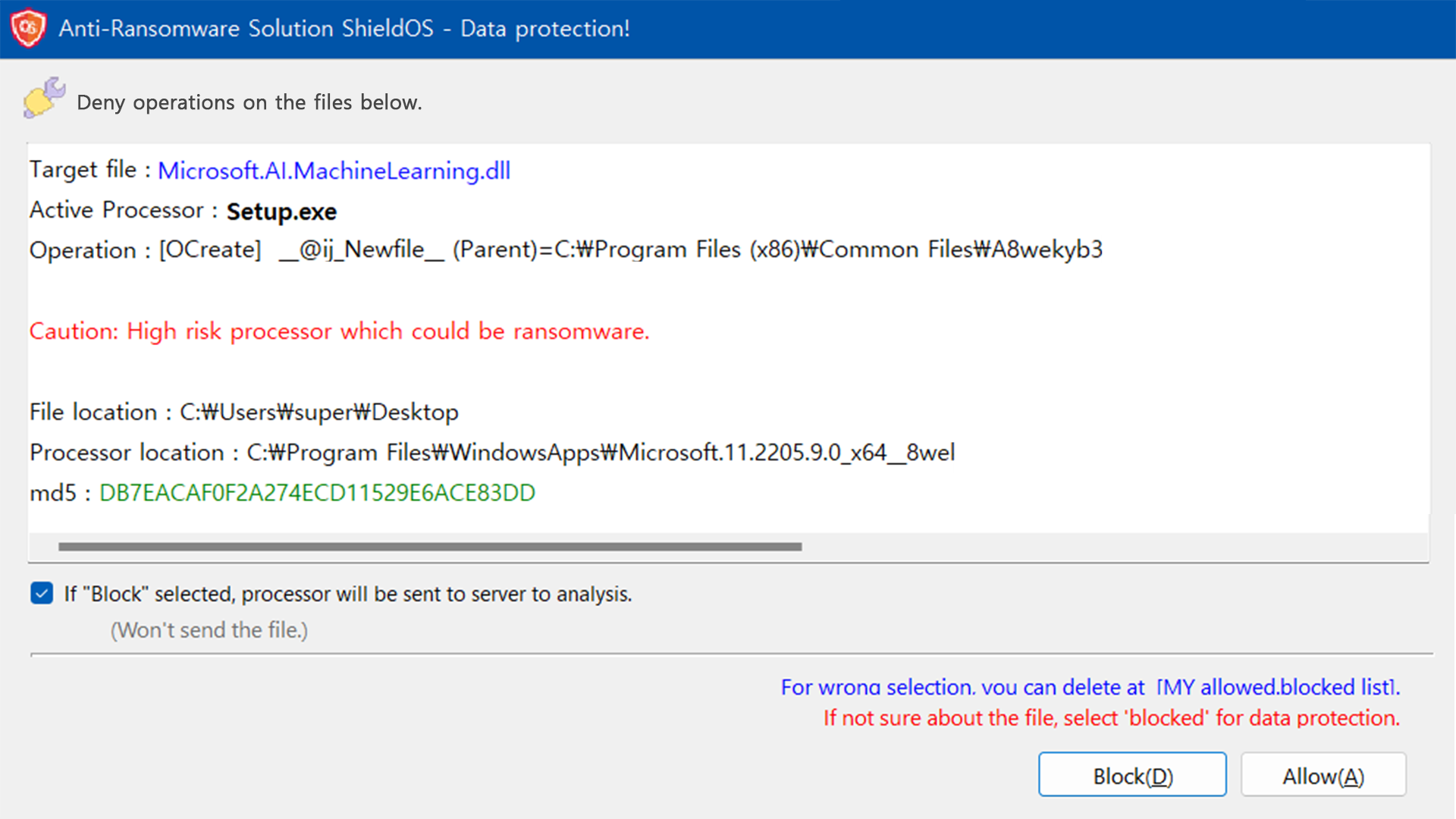
- Notify users when allowing and blocking processes
- Log generation and viewer function for allow and block
- Automatic patching of authorized and unauthorized process information through big data analysis
Strengths

Data file protection
It protects data files by blocking unauthorized and abnormal processes or unauthorized actions in real time.
Block forgery
By allowing normal actions by users and blocking abnormal actions, it fundamentally prevents users' valuable data files from being encrypted or forged by malicious code.

Double protection
You can protect your data double by providing a secure backup folder for secondary protection as well as blocking against forgery and tampering of data files.

Block external leaks
Provides a function to block illegal external leaks by malicious codes such as ransomware.

All file I/O detection
The engine core of ShieldOS runs in the kernel mode of the OS and detects all file I/O to the local disk to completely control process access.

Comfortable use
Unlike antivirus or backup solutions, ShieldOS does not clean, backup, or detect, so it does not burden the system. It can run smoothly even with low PC specifications, and you can use the PC environment you are using without worrying about ransomware.
Various extension protection
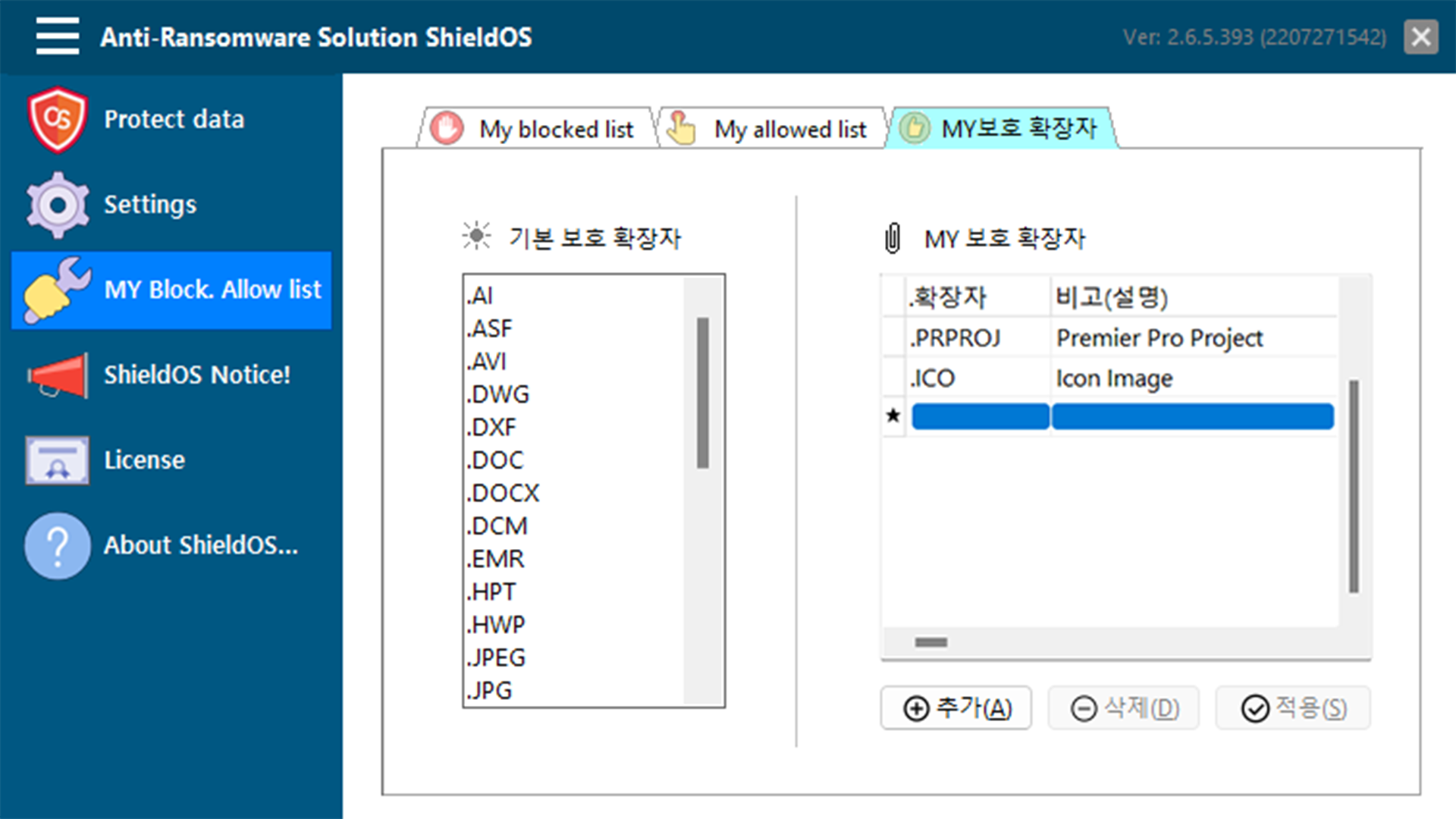
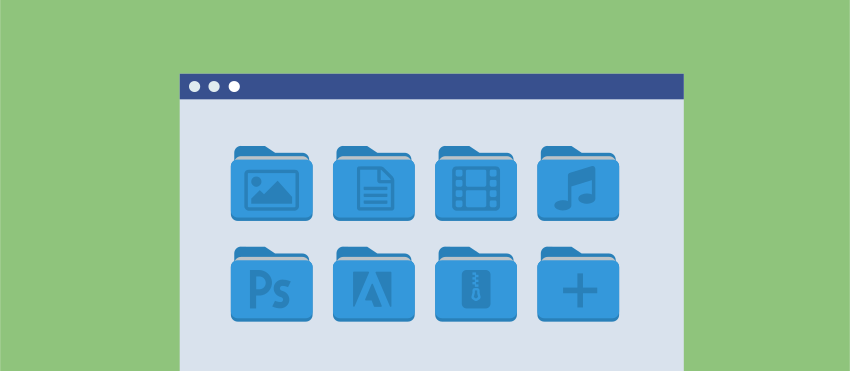
It protects various types of file extensions such as documents, images, audio, video, and compressed files by default, and users can specify additional protection extensions themselves.
Prepare in advance from ransomware infection

"Increase of ransomware, there are limits to protect by vaccines."
Recently, ransomware has been on the rise, and the method is also evolving day by day with clever techniques. There are many good antivirus programs on the market, but the reality is that once infected with ransomware, it is not easy to completely cure it 100%.
ShieldOSprotects data from ransomware infection by fundamentally blocking forgery in advance.
Implementation
| Item | Vaccine program | ShieldOS | Note |
|---|---|---|---|
| Block existing patterns | Supported | Supported | Protection range |
| Block new patterns | Partial supported | Supported | Protection range |
| Protected object | Executable file | Data file | |
| Blocking method | Stop running | Access blocking | |
| Managed object | Pattern | Hash | |
| Management method | Blacklist method | Black & White List method | |
| Main Function | Virus detection and treatment | Data protection | |
| Driving position | Application | Kernel | Main engine |
How it works
| Product name | Implementation principle | Note |
|---|---|---|
| ShieldOS |
|
Block |
| Generic vaccines |
|
Detection(Cure) |
| F backup solution |
|
Backup(Restore) |
| A backup solution |
|
Backup(Restore) |
| M backup solution |
|
Backup(Restore) |
Features
| Function | Vaccine | Backup based | Rule based | ShieldOS |
|---|---|---|---|---|
| Signature search | Supported | Supported | Supported | - |
| Behavior analysis | Partial supported | Partial supported | Partial supported | - |
| Behavior rollback | Partial supported | Supported | - | - |
| File history management | - | Supported | Supported | - |
| Backup folder | - | Supported | Supported | Supported |
| Allow authorization access | - | - | - | Available |
| Unauthorized access blocking | - | Partial available | - | Available |
| Unauthorized encryption interception | - | - | Partial available | Available |
| Unauthorized delete interception | - | - | - | Available |
| Unauthorized rename interception | - | - | - | Available |
| Data file protection | - | Partial available | Partial available | Available |
| Block blacklist | Available | Available | Available | Available |
| Allow whitelist | - | - | - | Available |
Configuration
Support extension
List of extensions that ShieldOS protects from ransomware
| Division | File format | Description |
|---|---|---|
| Document file | DOC | Microsoft Word Document |
| DOCX | Microsoft Word Document | |
| XLS | Microsoft Excel Document | |
| XLSX | Microsoft Excel Document | |
| PPT | Microsoft PowerPoint Document | |
| PPTX | Microsoft PowerPoint Document | |
| HWP | Hancom Office Hangul Format | |
| HWT | Hancom Word Format | |
| NXL | Hancom Nexcel Format | |
| HPT | Hancom Slide Format | |
| Adobe Acrobat Document | ||
| CAD file | DXF | Autodesk CAD Compatibility Test Format |
| DWG | Autodesk CAD Drawing Format | |
| Image file | JPG | JointPicture Group Format |
| JPEG | JointPicture Exports Group Format | |
| AI | Adobe Illustrator Format | |
| PSD | Adobe Photoshop Format | |
| Voice file | MP3 | MPEG3 Audio |
| WMA | Windows Meda Audio | |
| Video files | AVI | Microsoft Audio Video Interleaved |
| ASF | Advanced Streaming Format | |
| MP4 | Standard Video Format | |
| MPEG | Home Video Format | |
| MPG | Home Video Format | |
| MOV | Apple Video Format | |
| Compressed file | ZIP | Standard Compressed File Format |
| Medical data files | DCM | Medical Digital Imaging and Communication Format |
| EMR | Emrite Data Page Layout Format | |
| SHT | Web service based Medical Data Format |
Operating environment
| Division | Minimum Specifications | Recommended Specifications |
|---|---|---|
| OS | Windows 7 | Windows 11 |
| CPU | Intel 1.6Ghz | Intel 2.16Ghz or higher |
| RAM | 1GB | More than 2GB |
| HDD | 3GB | More than 5GB |